Whether you’re enjoying a noisy afternoon near Spencer Smith Park or strolling down Brant Street, background noise shouldn’t interfere with your day. When you’re wearing hearing aids, you probably don’t spend much time thinking about the technology inside them.

You just want to hear what’s happening around you. One feature that’s changed considerably in recent years is how hearing aids handle that familiar whistling sound known as feedback.

You may have come across newer hearing aids described as feedback-free, especially if you’ve been looking at different models. It’s an interesting term, considering feedback has been part of hearing aid technology for so long.

Today’s devices approach it differently, with features that work while you’re wearing them. But how close are we to hearing aids that really are feedback-free?

What is Feedback?

A high-pitched whistle you sometimes hear from a hearing aid is called feedback. It’s much like the squeal you hear when a microphone gets too close to a loudspeaker.

Inside your hearing aid, the microphone picks up sound and the speaker sends amplified sound into your ear.

Occasionally, some of that sound escapes and reaches the microphone again. The repeated amplification creates the whistle.

You may have heard it for a moment while putting your device in or moving it around in your ear. Feedback can also occur with an earmould or dome that doesn’t fit securely.

It isn’t necessarily a sign that your hearing aid needs repairing, and the sound may vary depending on the settings and the amount of sound escaping from your ear.

What Causes Feedback in Hearing Aids

A lot depends on how your hearing aid fits in your ear. If the dome is a little loose or the earmould doesn’t sit quite right, some sound may escape.

Your ears can also change shape gradually, so an earmould that once fit well might need adjusting. Hearing aids programmed for greater amplification may be more prone to feedback, particularly at certain pitches.

Earwax can be involved, too. A buildup in the ear canal may interfere with how sound travels, even when the device itself is clean.

You might also hear a short whistle when you bring your hand close to your ear or hold a phone against it.

Sometimes the issue is a worn tube or a part that isn’t sitting properly. Your hearing specialist can check these possibilities rather than assuming the feedback is coming from the hearing aid’s settings.

How Digital Processing Helps Reduce Unwanted Noise

Newer hearing aids have built-in software that listens for feedback and makes small adjustments while you’re wearing them. Much of this happens automatically, without you having to change any settings.

Here’s how digital processing handles unwanted whistling:

    • Recognizing feedback: A hearing aid picks up on the sound patterns associated with feedback.
    • Cancelling the whistle: The processor produces a signal that counteracts the feedback rather than turning down all the sound.
    • Adjusting certain pitches: Some models reduce amplification at specific frequencies where feedback is occurring.
    • Responding to changes: Software continues working when you move your hand near your ear or put on a hat.
    • Keeping other sounds natural: Processing is designed to leave speech and music largely unchanged, although the results vary between devices.

New Technology That Stops Hearing Aid Whistling

The software also monitors how sound travels between the microphone and speaker as you move around. These adjustments happen automatically, so you don’t have to keep changing the volume or switching programs.

Manufacturers have also improved how their technology handles music, particularly instruments that produce long, high-pitched notes. A violin, for example, can produce tones like feedback.

Modern processing is better at recognizing those differences and leaving the original sound intact. The technology varies between models, and your hearing specialist can explain how different feedback control features work.

Active Microphones and Directional Listening

When you’re talking with someone in a busy room, there may be several voices reaching your ears at once. Newer devices often have two microphones that work together to pick out where those voices are coming from.

They compare the sound reaching each microphone, including tiny differences in timing and volume. The processor uses that information to give more attention to speech from a particular direction.

You can also have different microphone settings for different situations. A narrower setting focuses on someone directly in front of you, while a wider setting picks up more voices around the table.

Some models switch between these settings automatically as people speak from different directions. Your hearing specialist can adjust how the microphones work based on where you usually have conversations.

Wireless Connections and Their Benefits for Wearers

You can connect many newer devices to your phone, much like you would with wireless headphones. Phone calls come through the devices, and you can listen to music or podcasts without using your phone’s speaker.

Some models also have an app where you can change the streaming volume or adjust how much sound you hear from the room around you. Your phone isn’t the only thing you can connect.

A TV streaming accessory lets you listen at your preferred volume while everyone else uses the television speakers. There are also small wireless microphones that someone can wear during a meeting or conversation.

Their voice comes through your devices, even when they’re sitting farther away. The options depend on which model you wear, since not every device supports the same connections.

Battery Requirements for Continuous Signal Processing

There’s quite a bit happening inside your devices throughout the day, even when you’re sitting somewhere quiet. The processor continues working with incoming sound, and feedback control stays active in the background.

Wireless streaming uses additional power, particularly during longer phone calls or when listening to music. Battery space is limited, especially in smaller models, so manufacturers have to consider how much electricity these features require.

Rechargeable models generally use built-in lithium-ion batteries that you charge overnight. Traditional zinc-air button cells have a different routine, with replacements needed every few days or longer.

The time between charges or replacements varies with your listening habits and the amount of amplification you need.

Someone who streams audio for several hours may use more power than someone who mainly uses their devices for conversations. Both battery types support modern processing technology, but the way you manage their power is different.

Simple Ways to Care for Your Devices at Home

Taking care of your hearing aids at home doesn’t need to take much time. Most of the cleaning can be done with the supplies that came with them.

Here are a few things to keep up with:

    • Give your devices a quick wipe with a soft, dry cloth when you take them off at night.
    • Use the cleaning brush to gently remove any wax you can see around the openings.
    • Check the domes and wax guards and change them when needed.
    • Wipe down your charger occasionally and check that the contacts are clean.
    • Keep your devices in a dry place when you’re not wearing them, away from direct heat.
    • Put on hairspray or other hair products before inserting your hearing aids.
    • Look at the tubing and earmoulds now and then for cracks or loose parts.

When to See a Hearing Specialist About Ongoing Problems

Think about when it tends to happen. Maybe it’s while you’re eating, talking or simply sitting quietly.

You don’t need to figure out the reason yourself, but those details are useful to bring up at your appointment.

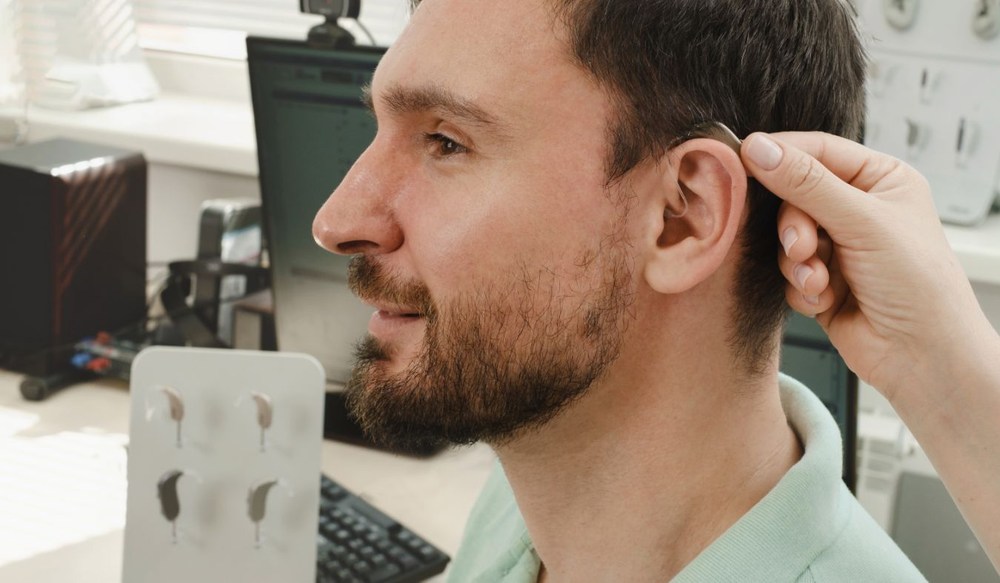
Your hearing specialist will likely start by checking the fit and asking whether anything has changed since your last visit. They can also review the feedback settings and run a calibration to see how the devices are responding.

If you’ve had your earmoulds for a while, they may need to be checked for changes in fit. You can also mention any differences in your hearing, since your current settings may need another look.

Understanding Feedback-Free Hearing Aid Technology

You don’t need to keep up with every new feature to get what you need from your devices. Still, it’s interesting to see what’s changed, especially if you’ve worn the same pair for years.

Maybe you’ve heard about feedback-free technology and wondered whether you’d notice a difference. You can be curious about newer options without having plans to replace what you already own.

We talk about these things regularly at Hearing Well Matters, and we’re happy to go through them with you. You might want us to check the settings on your current pair or explain how a newer model handles feedback.

Give us a call at (647) 247-2704 to arrange a visit. We can spend some time looking at what’s available and discussing what would suit you, without making the appointment all about getting something new.